Cut the camera shake out of your DaVinci Resolve footage
Shakefree finds the shaky seconds in your clips and hands DaVinci Resolve a timeline with them cut. You review the shakes in the browser, then import one file.
How it works
- Drop your clips. Or a DaVinci Resolve project with its videos. Shakefree reads them in your browser.
- Review the shakes. Each shake shows in red on the clip's timeline. Play them, and move the sensitivity if you want more or fewer.
- Export to DaVinci Resolve. Shakefree writes a Resolve XML file, imported with File, Import, Timeline. Import it and the cuts are already made.
What DaVinci Resolve gets
DaVinci Resolve gets three formats:
- Resolve XML (XMEML,
.xml): a full timeline. In Resolve choose File, Import, Timeline and pick the file. - EDL (CMX3600): an edit list, for an existing workflow built on EDLs.
- CSV markers: every shake as a row with its in and out point, for a spreadsheet or a script.
Shakefree can also write a cleaned MP4 of the clip.
The output options
You choose what the file holds:
- Stable only. The timeline with the shakes removed.
- Shakes only. Only the shaky parts, to check what was cut.
- Two tracks. The stable parts on one track and the shakes on another, every piece in its place.
- Markers only. The full clip with a marker on every shake, nothing cut.
Ripple closes the gaps a cut leaves, or keeps them so the rest of the timeline does not move. You choose before you export.
Clean a whole timeline
Already cutting? In Resolve choose File, Export, Timeline and save it as FCP 7 XML or FCPXML. Drop that file on Shakefree together with its videos. Shakefree matches every clip to its video by name, scans them, and saves a copy named yourtimeline-shakefree. Import it back with File, Import, Timeline. Your edits, titles and music stay where they were. Only the shaky parts of the video clips are cut.
An example
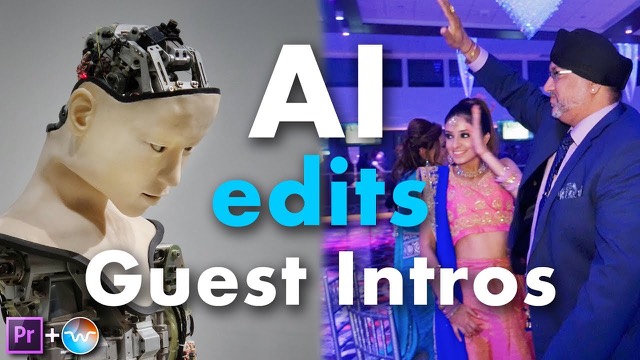
Guest introductions at a reception 6:02
The shooter hurried from spot to spot to catch each guest as they were introduced. Guests never wait for the camera.
1 clip, 17 shakes, 35 percent of it shaky. Watch the clip on YouTube
Shake counts from the Shakefree Premiere plugin on the same clips, published on wobbleai.com in 2020. The web app uses a newer version of the same detector, so a scan today can differ by a shake or two. More examples on the camera shake page.
Why cut instead of stabilize
A stabilizer smooths small, steady movement. When the camera jerks in several directions at once, or the shooter walks to a new spot while recording, the frames are blurred and there is nothing steady to recover. Those seconds have to go. Shakefree finds them so you do not have to scrub for them. Read more about camera shake.
Free to scan. Export from $15. A 3-hour pack for $15 once, or unlimited for $15 a month. See pricing.
The app shows the current price before you pay.